
Experiences & Home › Playlists
PHILIPS HUE PLAYLISTS
Line up your favourite moments.
Chain experiences, Experience Pack scenes and sound effects into one playlist. Set how long each one runs, then loop or shuffle the lot — from the app, a Home favourite, Siri or your smart home.
Build and edit playlists for free. Saving and playing them needs Pro 2.0.

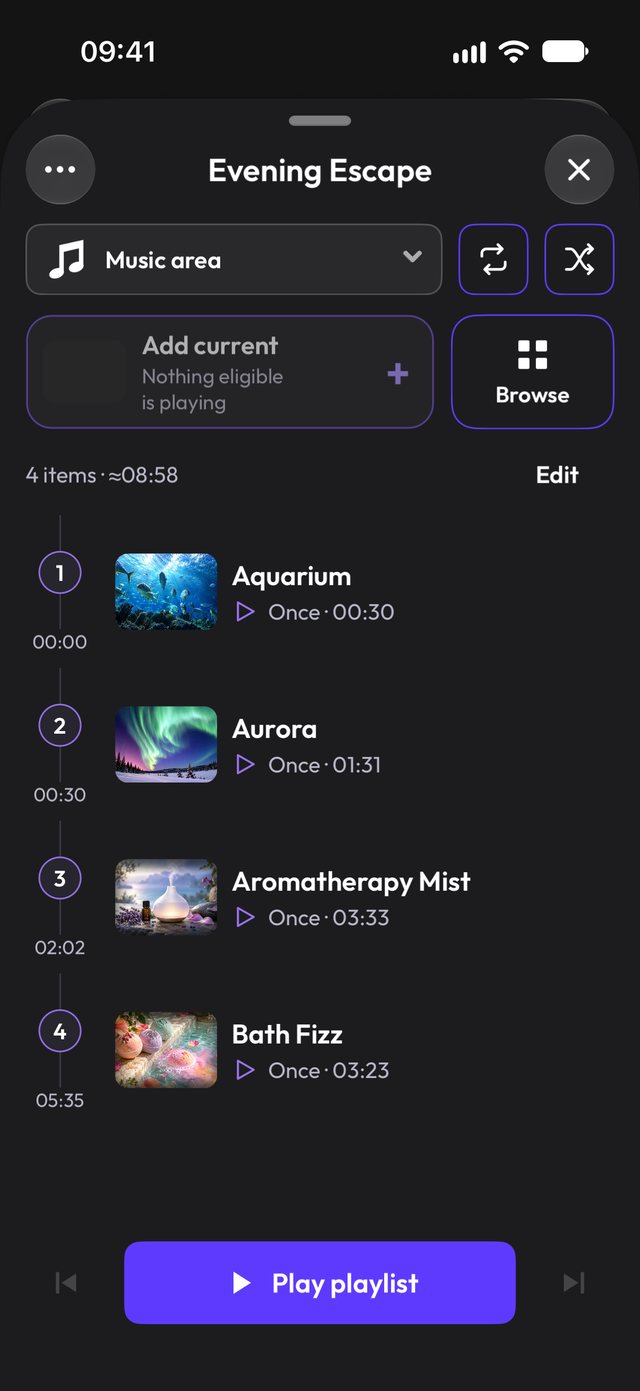
Build a playlist in a minute
- 1
Add what you love
Open the timeline from Experiences and add dynamic experiences, sound effects or scenes from any installed Experience Pack. Add the same one twice if you like.
- 2
Set the timing
Each entry runs once, for a set time, a set number of times, or forever. Drag to reorder, then turn on Loop or Shuffle.
- 3
Save and start
Name it, pick a default room and press play. Edit upcoming entries while it runs; the current one keeps going.
EVERY ENTRY, YOUR WAY
Timing that fits the mood
Wind-down playlists can drift for an hour; party playlists can hop every few minutes. Each entry has its own timing, and Shuffle builds a fresh order on every pass.
- Once, duration, count or infinite per entry
- Loop the whole list or shuffle each pass
- Skip forward or back while it plays
ONE TAP OR NO TAPS
Start it from anywhere
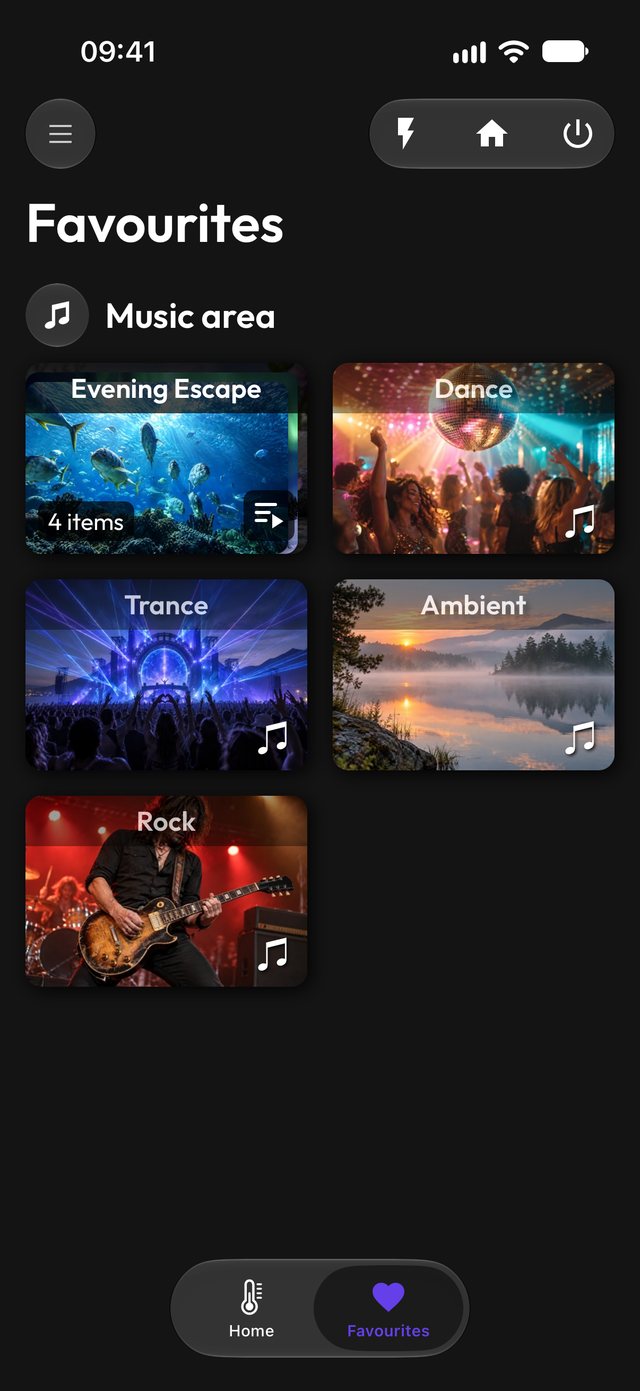
Pin a playlist to Home for any room, then tap to start. Ask Siri, add it to a Shortcut, let a motion sensor kick it off, or start it from Home Assistant with the Smart Home API.
- Home favourites per room or zone
- Siri & Shortcuts: start, next, previous, stop
- Room override without changing the saved default
Questions
Which experiences can go in a playlist?
Dynamic experiences, sound effects and scenes from Experience Packs you have installed. Static scenes and the Party sequencer are separate.
Do I need Pro?
Anyone can browse, build and edit a draft. Saving, starting playback and pinning playlists to Home need Pro 2.0.
Can I play two playlists at once?
Not yet — one playlist runs at a time, alongside any other effects you have running in other rooms.
What happens if I restart the app?
Playlists never auto-restart after the app closes, so lights won’t surprise you. Start it again from Home, Siri or the API.
More to explore
LITERALLY EVERYTHING FOR HUE LIGHTS
Press play on the perfect evening.
Free to try on iPhone, iPad, Mac and Android. Requires a Philips Hue Bridge.